
Cabin Chaos Controls
Movement, interaction prompts, slap chaos, and the all-important R ragdoll key for beta flights.
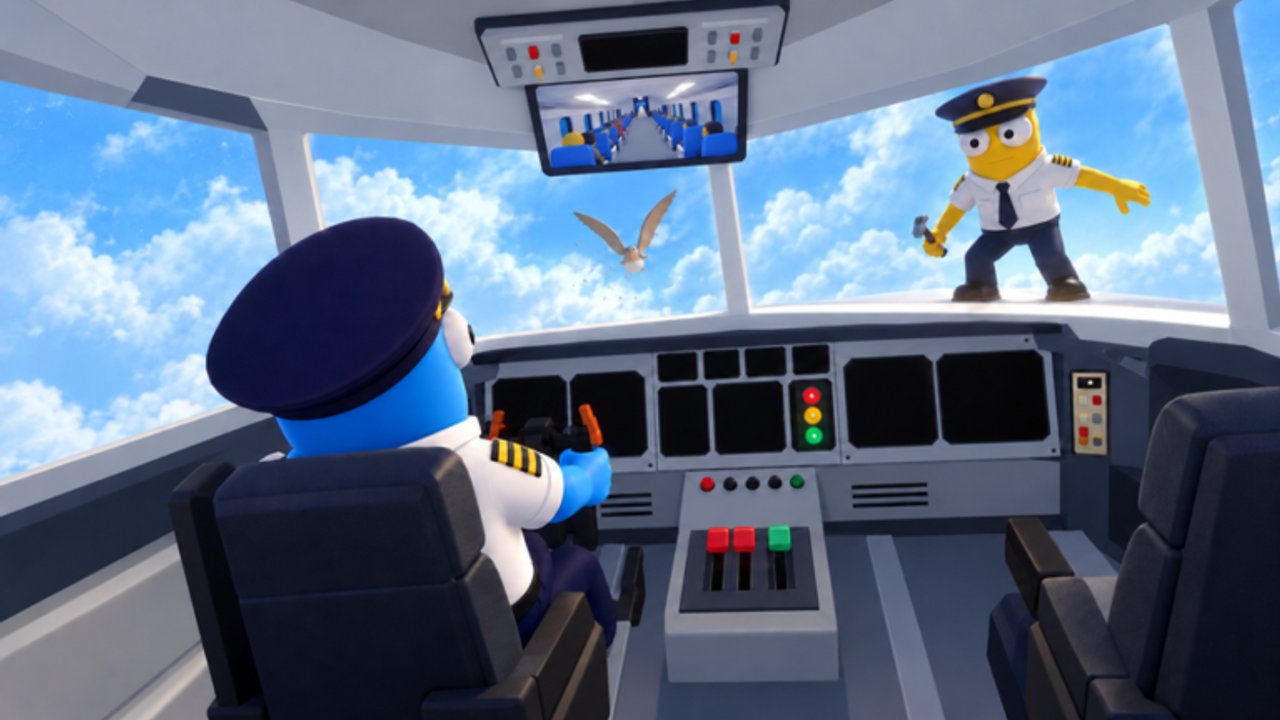
Mastering Cabin Chaos controls is less about memorizing a huge hotbar and more about staying upright when physics disagrees with your beverage cart. This Roblox co-op airline cabin sim (FriendSlop Interactive, currently in beta) runs on standard Roblox movement plus experience-specific interactions. The one key every crew member must learn early is R for ragdoll.
Use this page beside Getting Started and How to Complete a Flight. When passenger chaos hits, pair these controls with Passenger Service.
Core movement
Cabin Chaos uses familiar Roblox locomotion on PC, with touch or gamepad equivalents on mobile and console through the Roblox client:
- Move with WASD (or left stick / on-screen stick).
- Camera with mouse or right stick; keep the aisle and galley in frame so you spot seat thieves early.
- Jump when you need a short hop onto a step or over a tumbled prop — do not spam jump during service.
- Sprint when available to cross a long cabin before a meal timer or repair window expires.
Narrow aisles punish wide camera swings. Practice walking heel-to-toe past seated avatars without clipping into carts. In a 24-player server, pathing courtesy matters as much as raw speed.
Interaction prompts
Most jobs — check-in desks, cargo holds, fuel points, meal trays, calm interactions, toilet doors, repair panels — use Roblox proximity prompts. Walk up until the prompt appears, then confirm with the on-screen bind (often E on keyboard, or the platform’s interact button).
Tips that save shifts:
- Face the object; sideways approaches sometimes miss the prompt volume.
- Wait a beat after another player finishes the same prompt so the world state can update in beta.
- Call out “on fuel” or “on cargo” so two people do not fight one prompt.
- If a prompt vanishes mid-flight, check Mid-Flight Events — some interactions only appear when a system fails.
Exact prompt labels can change while the game is in early access. Trust the highlight in front of you over any outdated screenshot.
The R ragdoll key
Press R to ragdoll. Your avatar goes limp, physics takes over, and you become a floppy hazard or a comedy landing pad. Why it exists in Cabin Chaos:
- Bumpy landings already throw bodies around; knowing ragdoll on purpose helps you practice recovery.
- Slaps and collisions can knock you down; ragdoll is part of that slapstick language.
- Intentional chaos with friends — short ragdoll bursts in a private lobby are fine; endless ragdoll in Quick Play during critical repairs is grief.
Recovery habits:
- Expect disorientation after R or a hard bounce.
- Cancel ragdoll / stand when the game allows — mash the stand or move inputs rather than panic-jumping.
- Reorient the camera to the aisle centerline before running.
- Reclaim your cart or tool; do not leave meal service half-done because you face-planted in row 8.
If you ragdoll into a passenger cluster, apologize in chat and resume Passenger Service duties. The beta fantasy includes messy physics; the fail state is abandoning the loop, not falling once.
Slaps, physics, and cabin etiquette
Slaps and physics toys are part of the joke. Use them:
- In private lobbies for warm-up chaos before serious flights.
- Sparingly in Quick Play when they do not block fuel, cargo, or repairs.
Do not trap teammates in ragdoll chains while someone is mid-repair or freeing a toilet lock-in. Good crews treat slapstick as seasoning, not the main course. After a slap fight, reset positions and continue the route checklist from How to Complete a Flight.
Platform notes (PC, mobile, console)
Cabin Chaos is a Roblox experience, so bindings follow Roblox’s platform layer:
- PC — keyboard movement, mouse camera, R for ragdoll, E (typical) for prompts.
- Mobile — on-screen stick, jump, and interact buttons; find ragdoll on the experience’s mobile control set (may sit in a secondary button cluster).
- Console — gamepad move/camera; map interact and ragdoll via the on-screen hints Roblox shows for the place.
If a bind feels wrong after a Roblox client update, open the in-experience controls hint or Roblox settings rather than assuming this wiki is wrong. Beta patches from FriendSlop can also reshuffle mobile button layouts when new skins or cabin tools arrive (watch for [NEW SKINS] in the title).
Controls checklist before takeoff
- Confirm you can walk the full aisle without constant collision.
- Trigger at least one check-in, cargo, or fuel prompt successfully.
- Press R once on the ground, stand up, and recenter the camera.
- Practice a short sprint to the galley and back.
- Agree with friends who owns slapstick vs who owns critical prompts.
Tie-ins to other systems
Controls alone do not earn Wing Bucks or ranks from Cadet to Sky Legend, but smooth movement makes both grind faster. See Wing Bucks and Ranks for progression. Island runs in Island Side Quests need the same movement fluency plus careful footing around desert mines and glacier wrecks.
Promo codes are unrelated to binds — and as of November 2026 research, none were confirmed working. Keep Codes bookmarked anyway.
Practice drills (five minutes)
- Aisle lap — walk rear to front without jumping.
- Prompt chain — interact with three different job spots in order.
- Ragdoll recover — R, stand, camera fix, ten steps forward.
- Landing simulation — after a bumpy touchdown, resist panic R-spam; stand and check passengers.
- Role mute test — in a private lobby, complete fuel or cargo with chat callouts only.
When these drills feel boring, you are ready for live Quick Play chaos. Return here after any patch that mentions control or physics changes on the Updates Hub. Browse every tutorial from the Guides Hub.
Frequently Asked Questions
Quick answers for Cabin Chaos crews on Roblox.
What does the R key do in Cabin Chaos?
R triggers ragdoll. Your avatar goes limp under physics. Use it for comedy or recovery practice, then stand and continue the flight loop.
How do I interact with fuel, cargo, or meals?
Walk into the proximity prompt until it appears, then press the interact bind (commonly E on PC, or the on-screen button on mobile and console).
Should I ragdoll during landings?
Bumpy landings already cause chaos. Learn to recover quickly. Spamming R mid-landing usually makes service recovery harder.
Are controls the same on mobile?
Movement and interact still work through Roblox mobile UI. Ragdoll and extra actions appear as on-screen buttons; layouts can shift during beta.
Is slap combat required to finish a flight?
No. Slaps are optional physics chaos. Completing check-in, cargo, fuel, service, repairs, and landing matters more than winning slap fights.